


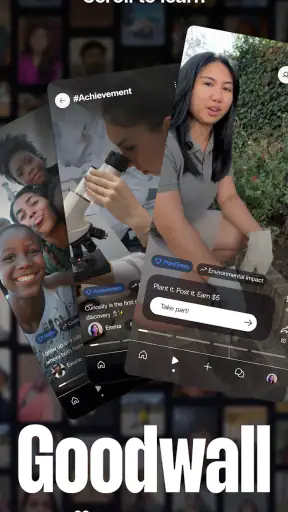
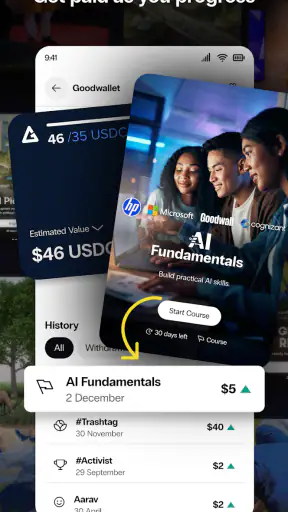
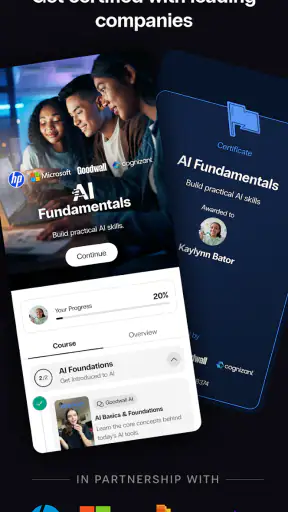
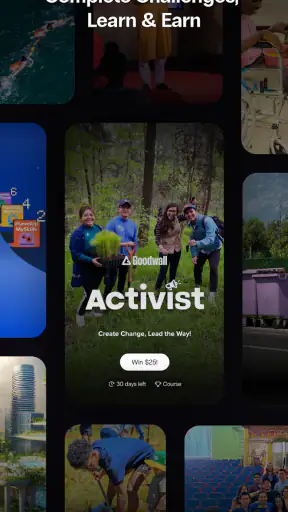
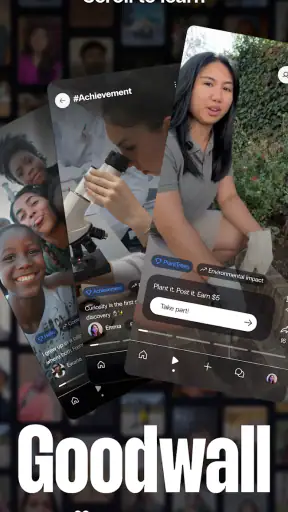
I approached Goodwall - Learn & Earn as a social education app rather than another general-purpose social network. That distinction matters. Its purpose is to help people prepare for their future by combining learning, personal development, and interaction with a wider community. I found the experience most useful when I treated it as a place to build visible progress and discover opportunities, not as an endless feed to check whenever I was bored.
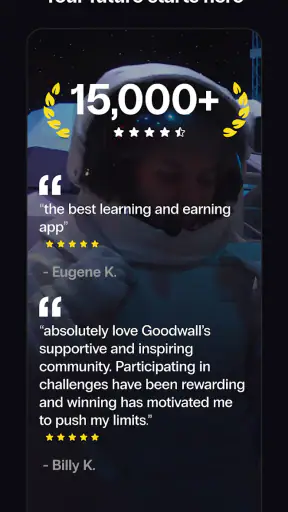
Goodwall is free to use and comes from Goodwall, a developer focused on connecting education with future goals. It has been available since March 7, 2016, and its Android listing shows an average rating of 4.3 from roughly twenty-three thousand ratings, with more than five million installs. Those numbers suggest that it has reached a substantial audience, but they do not remove the need to use it deliberately. The app works best when you arrive with a reason: improving a skill, presenting an achievement, finding motivation, or learning how other people are preparing for work and study.
How I built a useful everyday workflow
My basic routine was simple. I opened the app with one small objective, spent time on relevant educational or development content, and then reviewed what I had actually gained from the session. That last step is easy to skip, but it is what separates useful progress from passive scrolling. If I had a spare block of time before class, during a commute, or after finishing work, I used Goodwall as a focused check-in rather than trying to consume everything available.
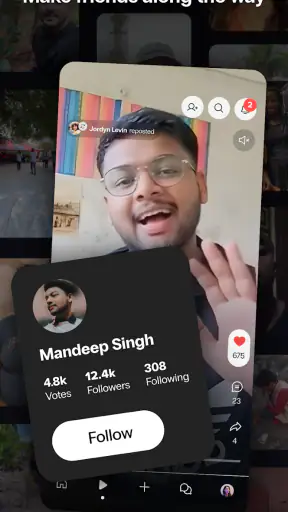
The social side becomes more valuable when your profile reflects your interests and progress. A vague profile makes it harder for the community around you to understand what you are working toward. I would begin with the areas that genuinely matter to me, then keep the presentation clear and current. Your profile should act like a compact introduction, not a storage box for every activity you have ever tried.
That approach also changes how I interacted with other users. Instead of treating every post or update as something requiring a reaction, I looked for ideas I could apply. A useful habit is to save the lesson from an interaction in your own words: a new skill to practice, a question to investigate, or a type of experience worth pursuing. Social learning is easy to overestimate because reading about progress feels productive. The real test is whether it changes what you do next.
A realistic example would be a student preparing for a first internship. In the morning, they might use a short session to explore learning material connected with their target field. Later, they could update their profile with a completed activity or a clearer description of their interests. At the end of the week, they could review which topics repeatedly caught their attention and use that pattern to choose the next area of study. Goodwall is not a replacement for formal education or a complete job application system, but it can help turn scattered effort into a more visible personal-development routine.
Who gets the most from the social format
I think the app is especially suitable for teenagers and young adults who are still shaping their direction. The content rating is Teen, which fits its educational and social focus, while also reminding parents and younger users that this is an environment involving interaction with other people. Students who feel unsure about where to begin may appreciate seeing different goals and learning paths in one place.
It can also suit someone returning to study or trying to make a career change. In that situation, the social layer can provide a sense of movement when progress feels isolated. Seeing how others describe their interests may help a user find better language for their own goals. That is a subtle strength: sometimes the first obstacle is not a lack of ability, but not knowing how to explain what you can do.
On the other hand, I would not recommend relying on Goodwall if you want a deep, structured course platform with a complete curriculum, detailed assessment, or intensive instructor support. A dedicated learning service will usually be stronger for mastering one subject from beginning to end. Goodwall makes more sense as a companion to that work, especially when you want to connect learning with identity, motivation, and future opportunities.
Settings and profile choices worth checking first
The most important setup work is not flashy. I would start by reviewing the profile information you are comfortable sharing and making sure the public-facing details match your current goals. If your interests have changed, an outdated profile can quietly undermine the value of the social experience. A few accurate details are more useful than a crowded profile filled with unrelated entries.
It is also worth checking how you want to handle notifications. Social education apps can become distracting when every update feels urgent. I prefer allowing reminders that support a planned learning habit while reducing interruptions that encourage aimless checking. The right balance depends on how you use the app, but the principle is consistent: notifications should bring you back to a goal, not create a new obligation.
Because Goodwall combines personal development with social interaction, I would take a moment to think about boundaries before posting. Avoid sharing sensitive personal information simply because a profile feels educational. Present achievements, interests, and goals in a way that is informative without exposing details you would not want widely visible. This is not a criticism unique to Goodwall; it is a practical rule for any service where your future-facing identity is part of the experience.
Another useful adjustment is to make your learning intention specific. “Improve my future” is too broad to guide daily choices. “Explore communication skills for interviews” or “understand which digital subjects interest me” gives the app a clearer role. When I used a narrow intention, I was less likely to drift through unrelated social content and more likely to recognize whether a session had been worthwhile.
Faster patterns for turning browsing into progress
Experienced use is mostly about repeatable habits rather than secret controls. I found it helpful to divide sessions into three stages: discover, select, and act. First, I looked through the available material or community activity. Then I chose only one or two items that matched my current objective. Finally, I wrote down or completed one practical next step. This prevents the common trap of collecting interesting ideas without applying any of them.
A second pattern is to use the app at the same point in an existing routine. For example, a user might open it after finishing a daily study block, rather than interrupting the study block every few minutes. That keeps Goodwall connected to learning without allowing the social element to take over. I found this more sustainable than setting an ambitious schedule that depended on constant motivation.
Profile updates can also be handled in batches. Instead of changing your profile after every small activity, review it periodically and add only the experiences that support the direction you want to show. This creates a cleaner story and reduces the temptation to treat every completed task as a major achievement. The trade-off is that you need to remember to return and update it; a calendar reminder or an existing weekly review can solve that without adding much effort.
When interacting with other users, quality beats volume. A thoughtful response connected to someone’s learning experience is more useful than a stream of generic reactions. I would also use community activity as a source of questions: What skill appears repeatedly? Which experiences do people describe clearly? Where do their goals differ from mine? This turns the social feed into a form of informal research rather than a popularity contest.
There is another practical distinction between discovery and decision-making. Goodwall can expose you to possibilities, but exposure alone should not determine your next major education or career choice. I would use the app to generate options, then confirm those options through more detailed study, direct experience, or reliable information elsewhere. That is one of the app’s central trade-offs: it can broaden your view efficiently, but you still need deeper sources before committing time or money to a path.
Where the experience reaches its limits
The social design is both the app’s appeal and its main limitation. A community can make learning feel less lonely, but it can also make progress look more polished than it really is. Users naturally present selected achievements, so comparing your ordinary week with someone else’s best moments can be discouraging. I found it healthier to compare my current actions with my own earlier habits, not with the most impressive profile on the screen.
Another limitation is the risk of shallow engagement. Because the app brings together social discovery and educational aims, it may encourage you to sample many subjects. That is useful during exploration, but it is not enough when you need expertise. If you already know exactly what you want to master, a specialist app with a carefully ordered course may provide a clearer route and stronger depth.
There can also be friction in maintaining a public professional identity. Writing about yourself requires judgment, and not everyone enjoys turning personal growth into profile content. If you dislike social presentation or prefer private study, Goodwall may feel like extra work around the learning itself. You can still use its educational side, but its strongest advantages appear when you are comfortable sharing selected goals and achievements.
Users should also remember that a free app can still have a cost in attention. The price is free, but time spent browsing is not automatically valuable. I would set a purpose before opening it and leave when that purpose is complete. This simple rule is especially important for students balancing coursework, work, and personal responsibilities.
The Android listing identifies version 1.10.11.1 and requires Android 7.0 or later. That makes checking device compatibility a sensible first step before building the app into a routine. On supported hardware, the more important question is not whether it can be installed, but whether its social-learning style fits the way you prefer to develop skills. An iOS or Android user looking for a focused private notebook, a traditional course sequence, or a full professional networking replacement may be better served by a different tool.
My verdict after using it as a long-term habit
I see Goodwall as a bridge between learning and self-presentation. It is most effective when you use it to discover directions, reflect on progress, and make your goals easier for other people to understand. The app is not a magic shortcut to education or employment, and I would be cautious about expecting a social feed to provide the depth of a dedicated course. Its value comes from connecting small learning actions with a wider sense of purpose.
For a teenager exploring interests, a student preparing for future opportunities, or an early-career user trying to describe their strengths, that combination can be genuinely useful. The free entry point also makes it easy to test without committing financially. I would begin with a clear profile, controlled notifications, and one repeatable weekly goal rather than trying to participate everywhere at once.
My strongest recommendation is to treat every session as a loop: find something relevant, decide what it means for you, and take one action away from the screen. If you do that, the social features support your development instead of replacing it. If you want private, highly structured, subject-specific instruction, choose a specialist learning app instead. But if you want a place where education, personal goals, and community discovery meet, Goodwall - Learn & Earn is worth trying, provided you use it with intention rather than letting the feed choose your direction.


